A tour of the app

The whole app, screen by screen.

Twenty-one screenshots from the real application, not mockups, grouped by module. They are rendered automatically by a check that runs before every release, so they show the current version, not one from six months ago.

01 / The event

One event, one place to set it up.

Events live in a list and can be duplicated. What you change on the left shows up on the right, exactly as the guest will see it.
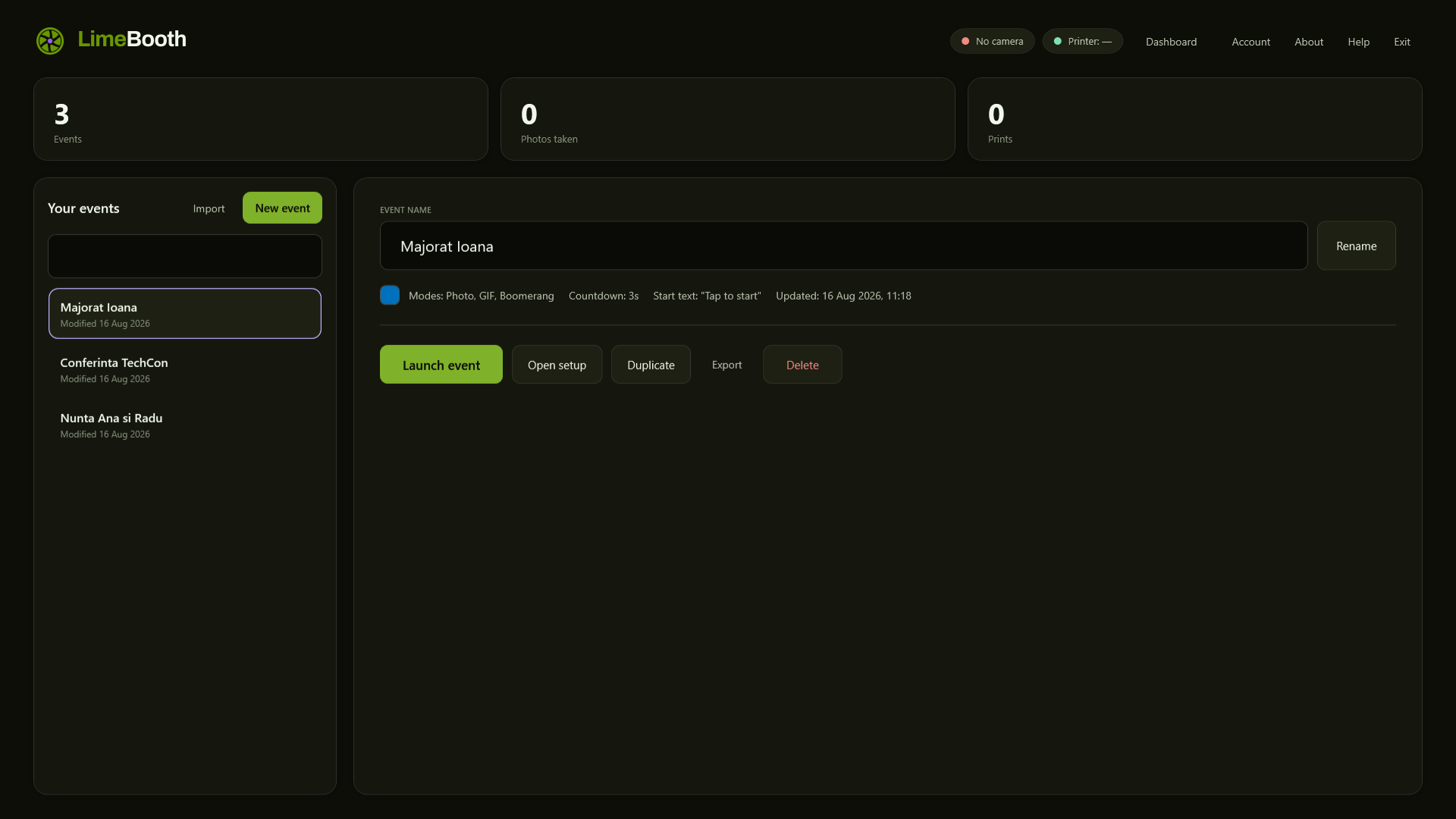
The LimeBooth events list
Every event in one list: duplicate last week's and change just the name.
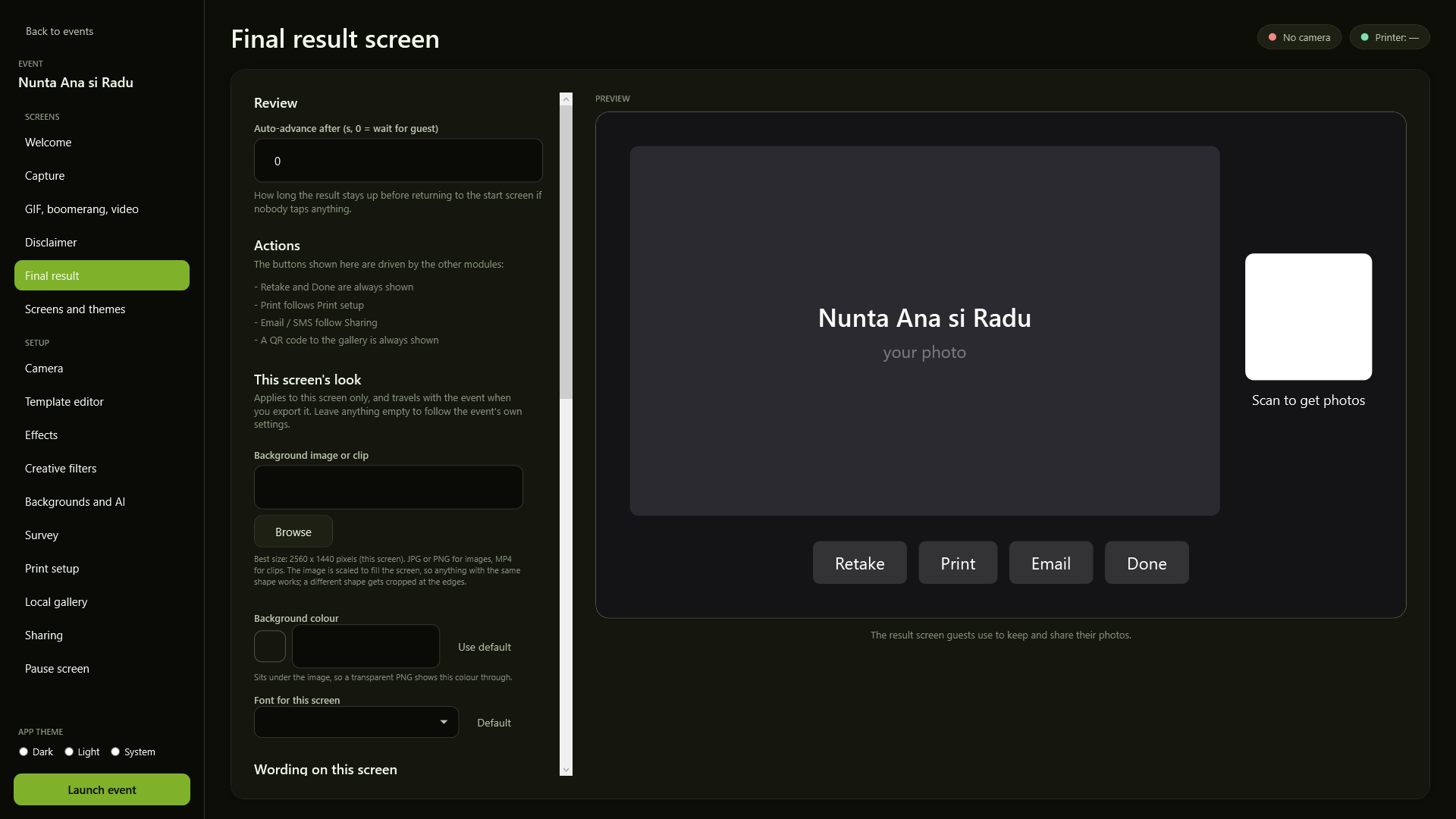
The event setup screen, with live preview
Setup and preview side by side - what you see on the right is what the guest will see.
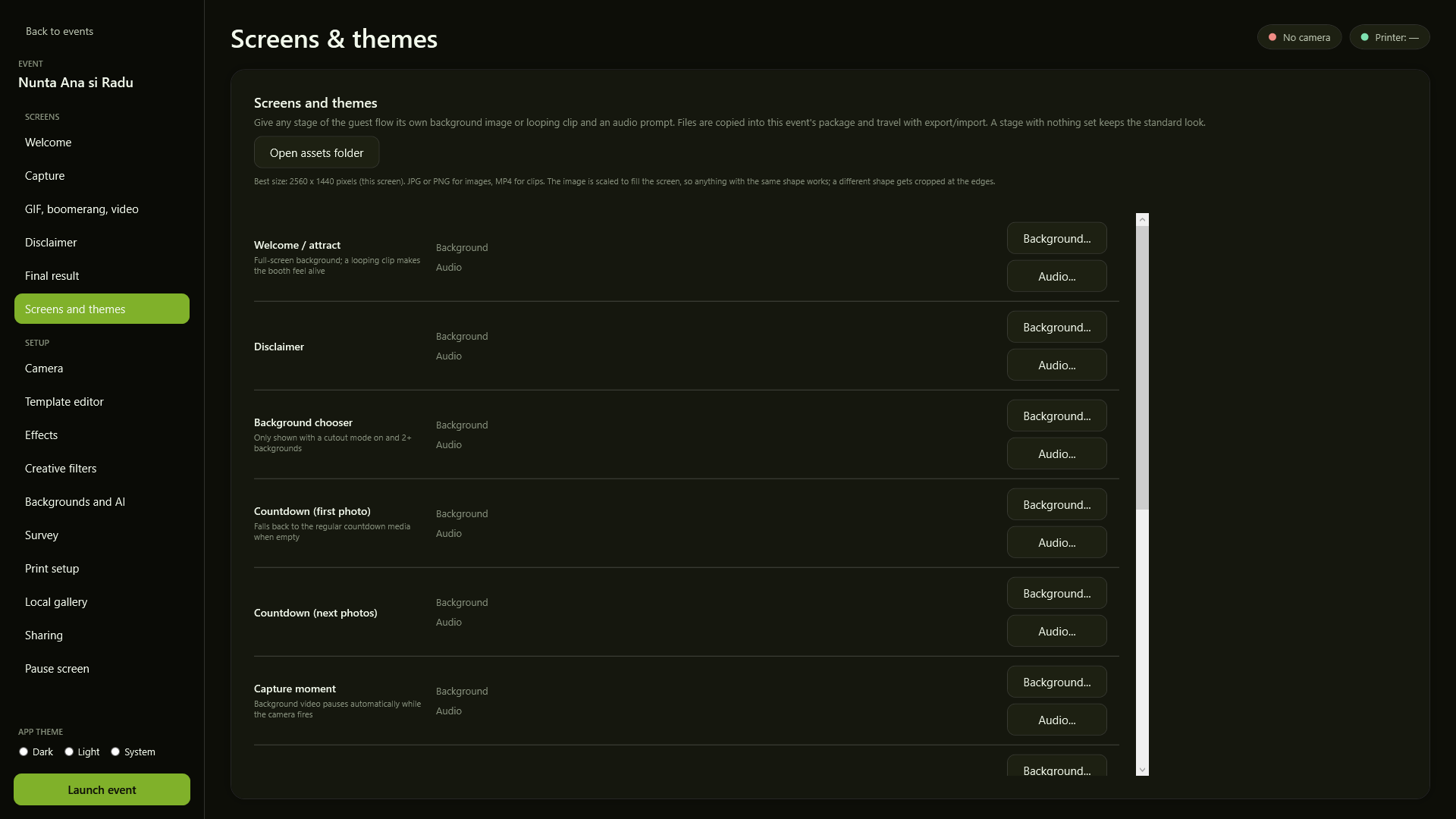
The Screens and themes screen, with background and audio per stage
Every stage of the guest flow can carry its own background, clip and audio, packed into the event.
02 / Camera and capture

Your camera, with its status always in sight.

DSLR or mirrorless over a cable, with live view. Countdown, frame count and modes are set per event.
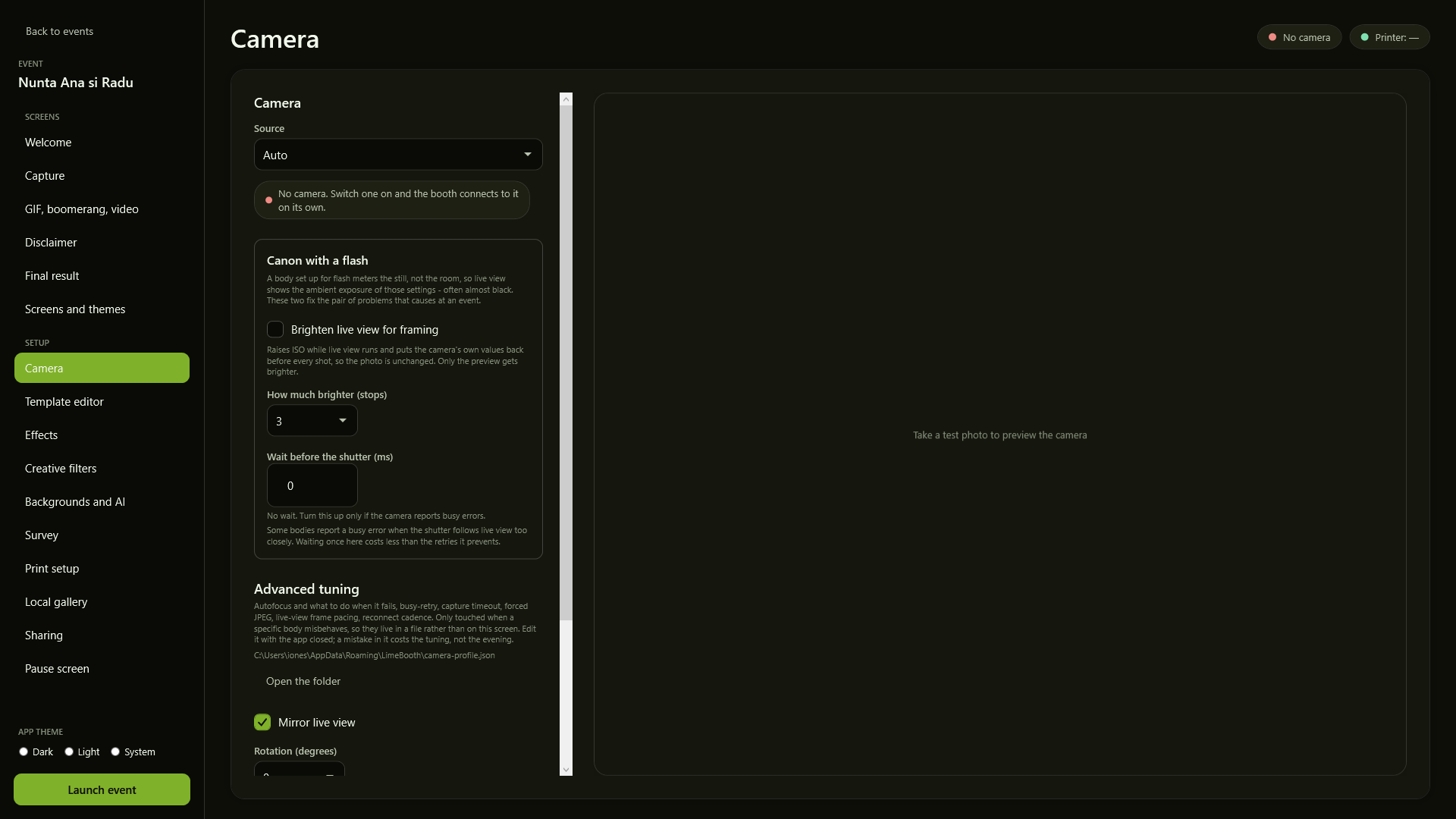
The camera setup screen
The camera is picked and tuned inside the app, and its status shows even when nothing is plugged in.
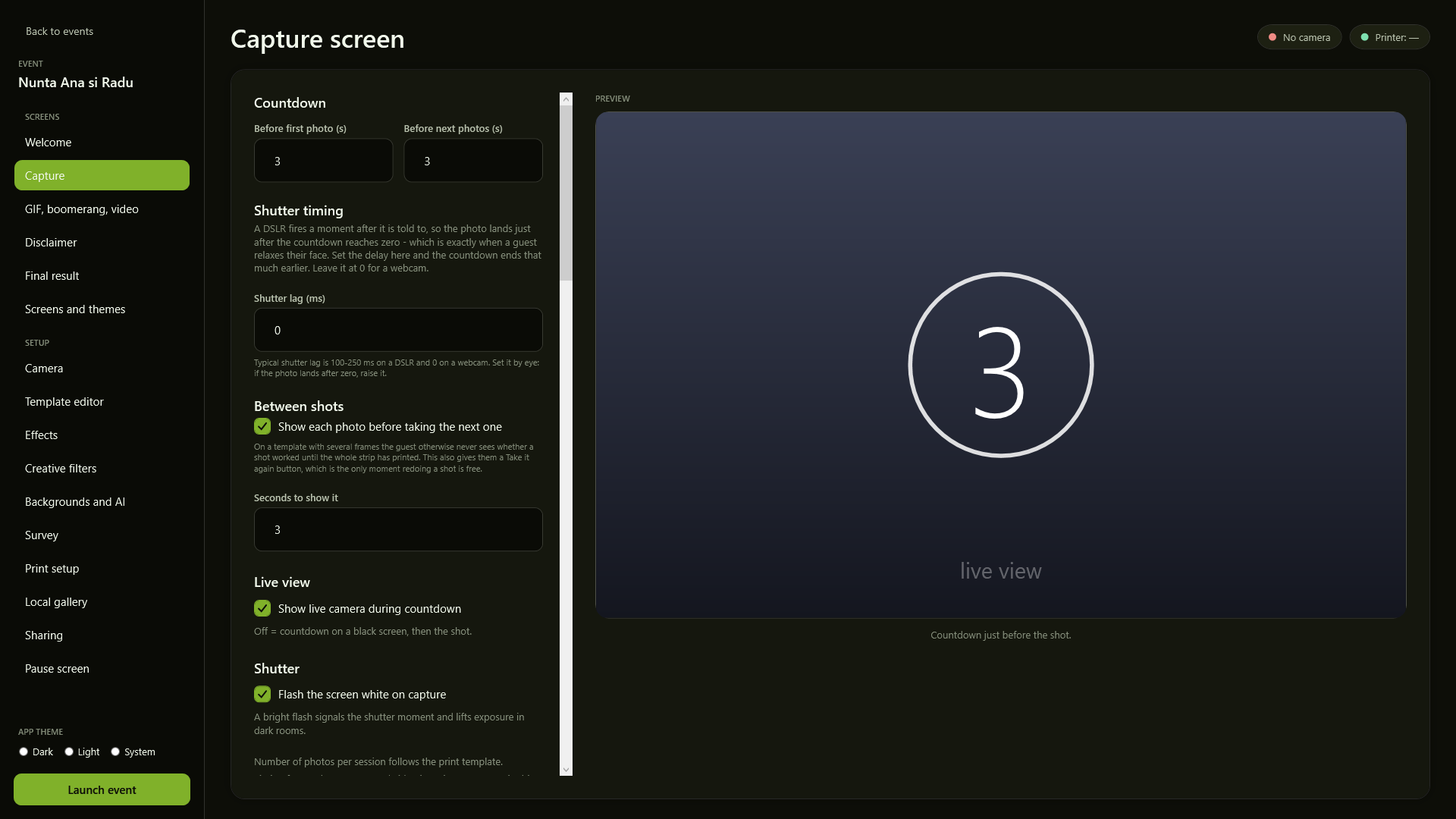
The capture setup screen, with the countdown
The countdown, how many frames a session takes and how long each one stays on screen.
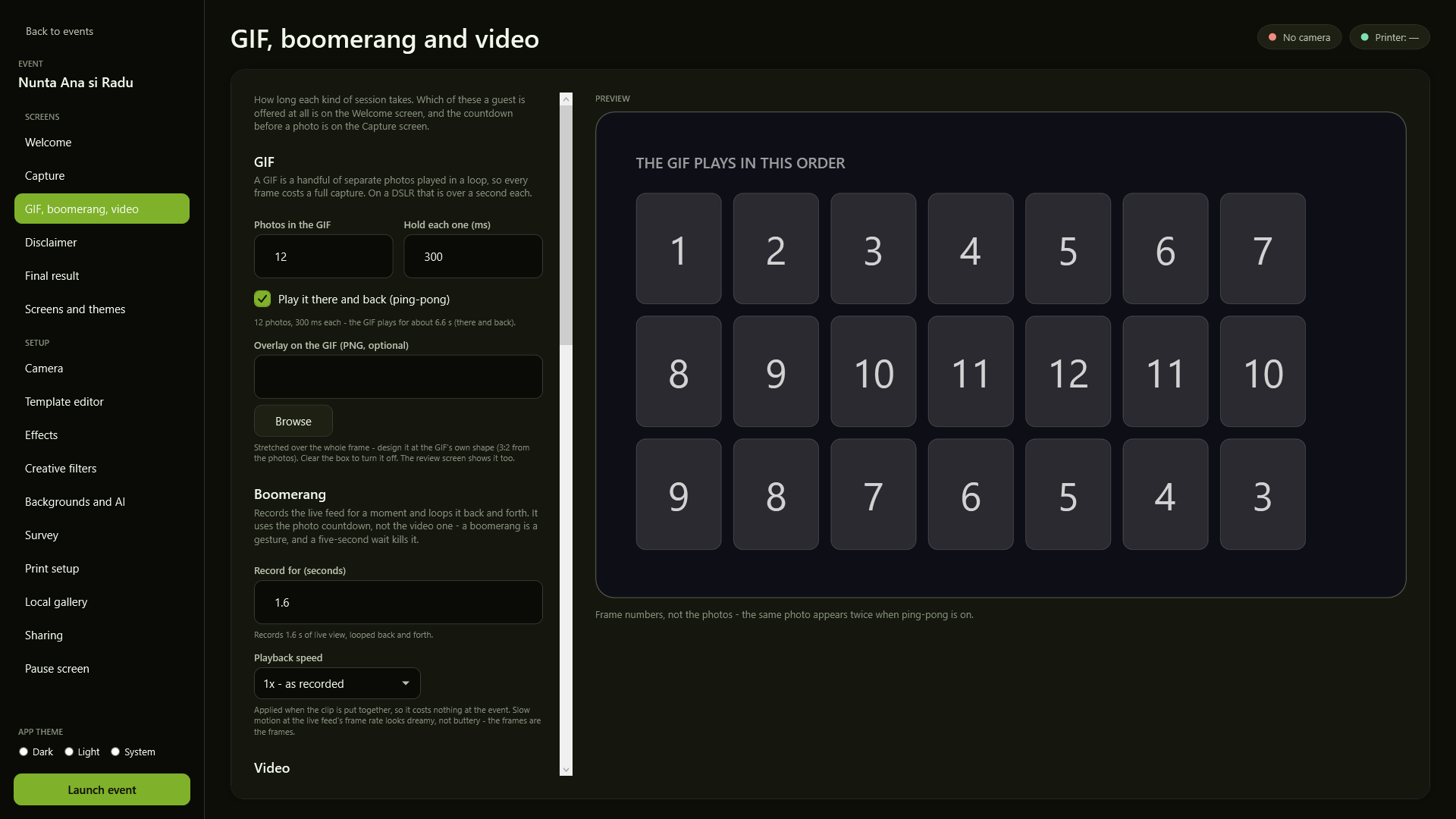
The GIF, boomerang and video setup screen
Photo, GIF, boomerang and video, each with its own settings and its own key.
03 / The guest screens

What people see at the event.

The booth runs full screen in kiosk mode, with your client's texts and colours. The same screens exist in portrait too.
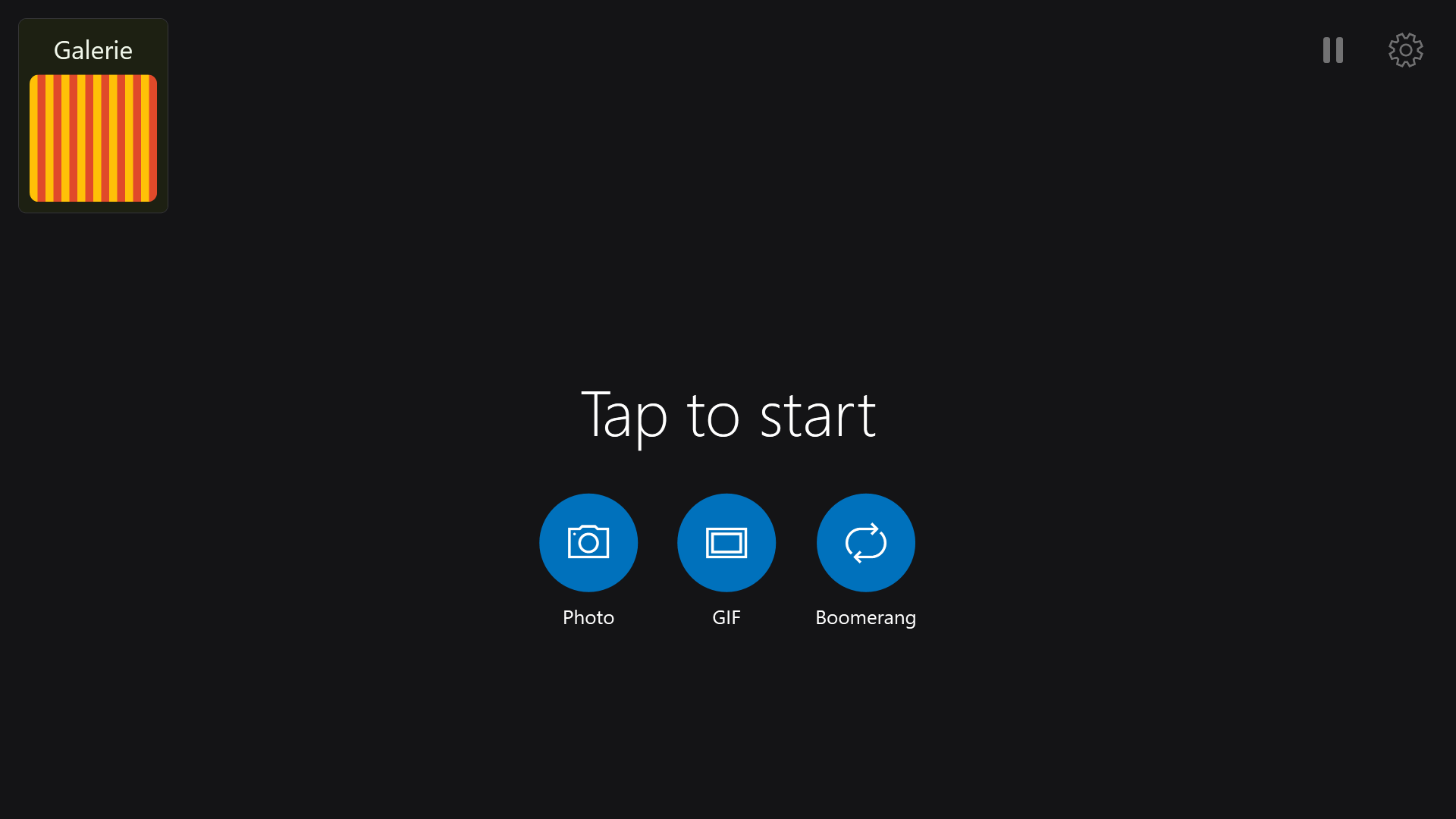
The guest start screen
The start screen carries your client's texts, colours and brand, not ours.
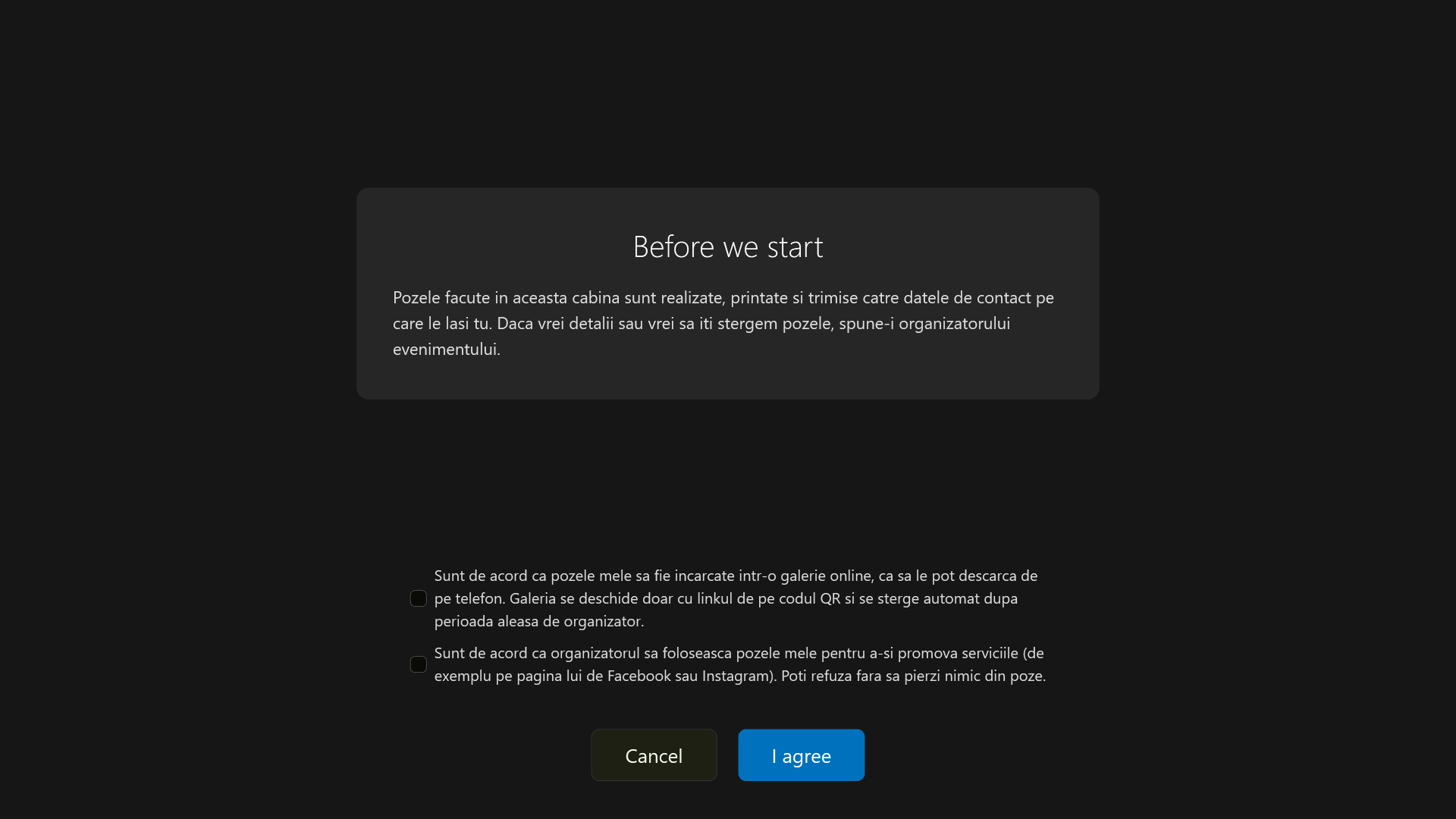
The consent screen, with separate checkboxes
Consent with separate checkboxes: the required text on top, the optional agreements below.
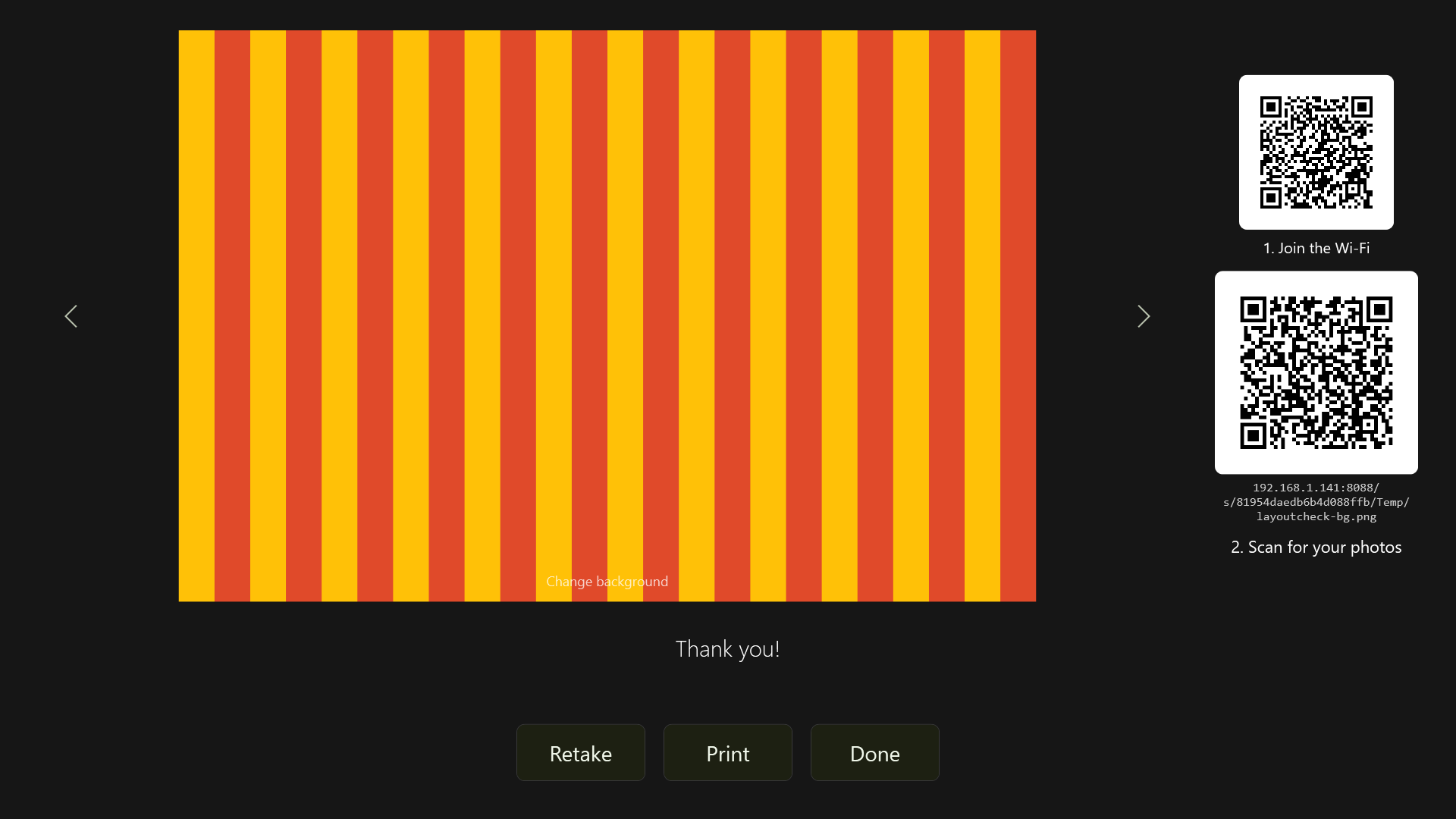
The result screen, with the QR code
The result with its QR code underneath - the guest scans and leaves with the photos.
04 / Effects and backgrounds

Everything that happens to the photo, on the booth's own processor.

Colour looks, creative effects and background cutout. None of them sends the photo anywhere.
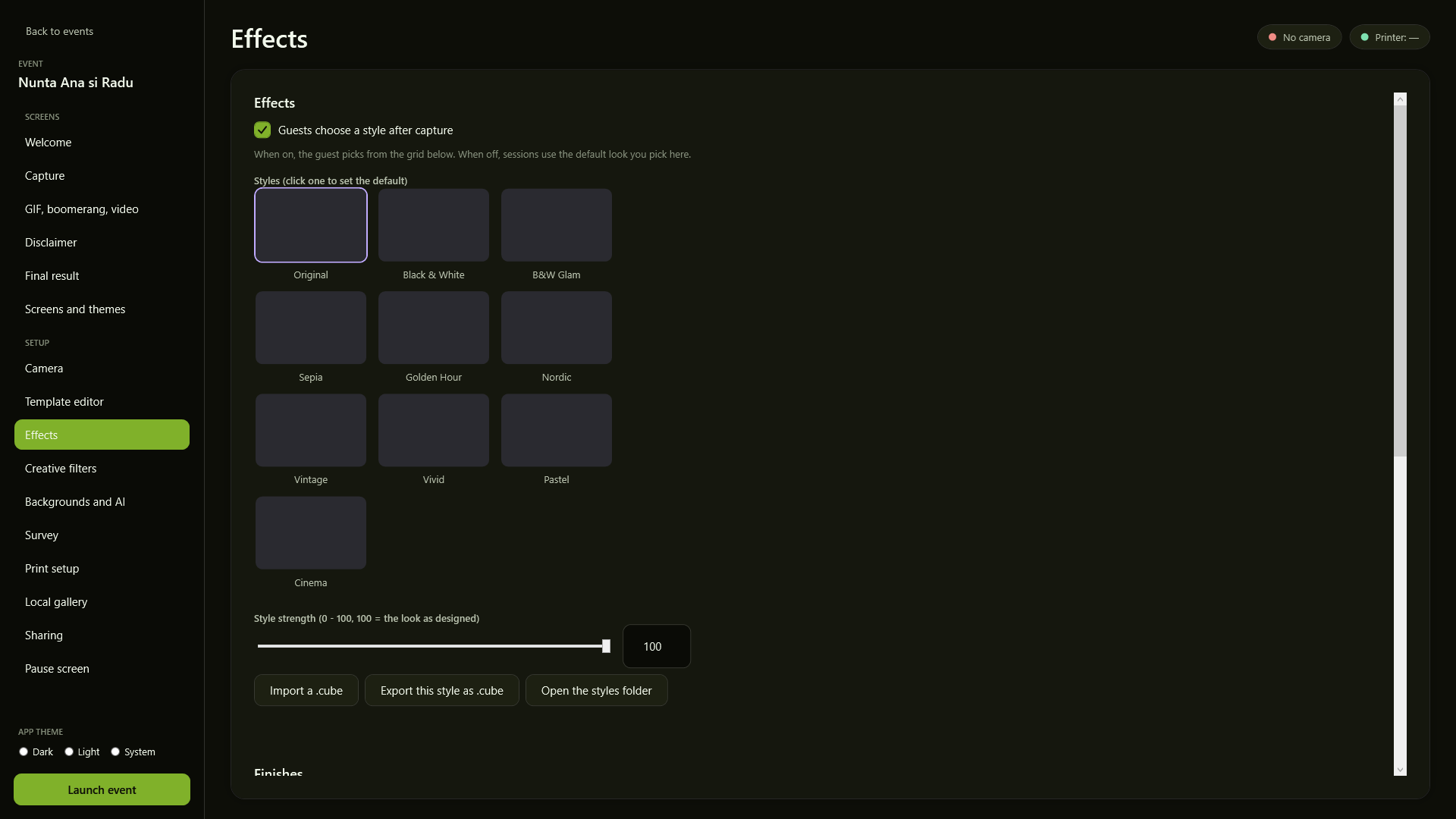
The effects screen, with the colour looks
Nine colour looks over the photo, with adjustable strength and .cube LUT import.
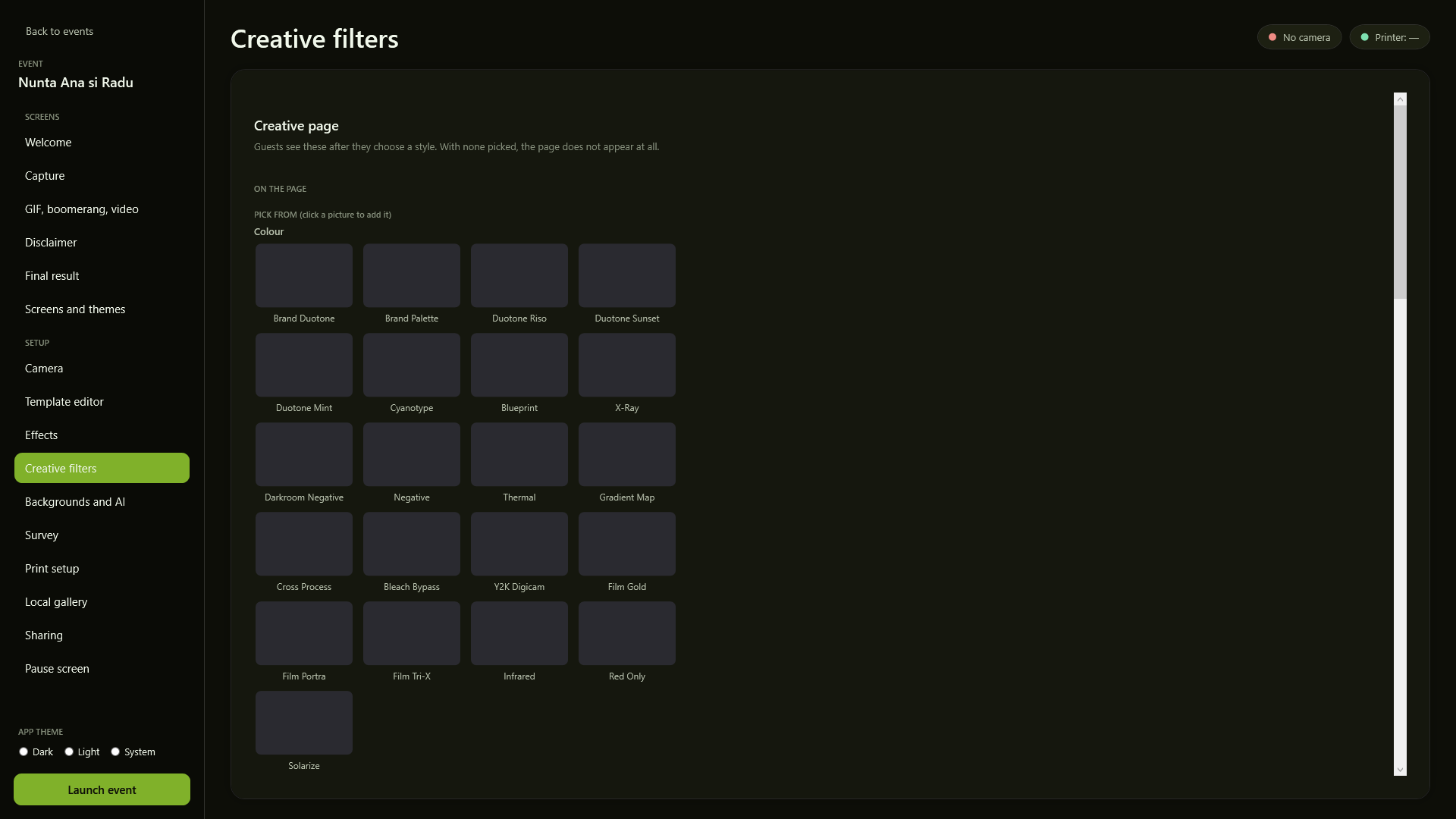
The creative filters screen, with the seven shelves
All 71 creative effects on seven shelves; you pick up to six for the guest's page.
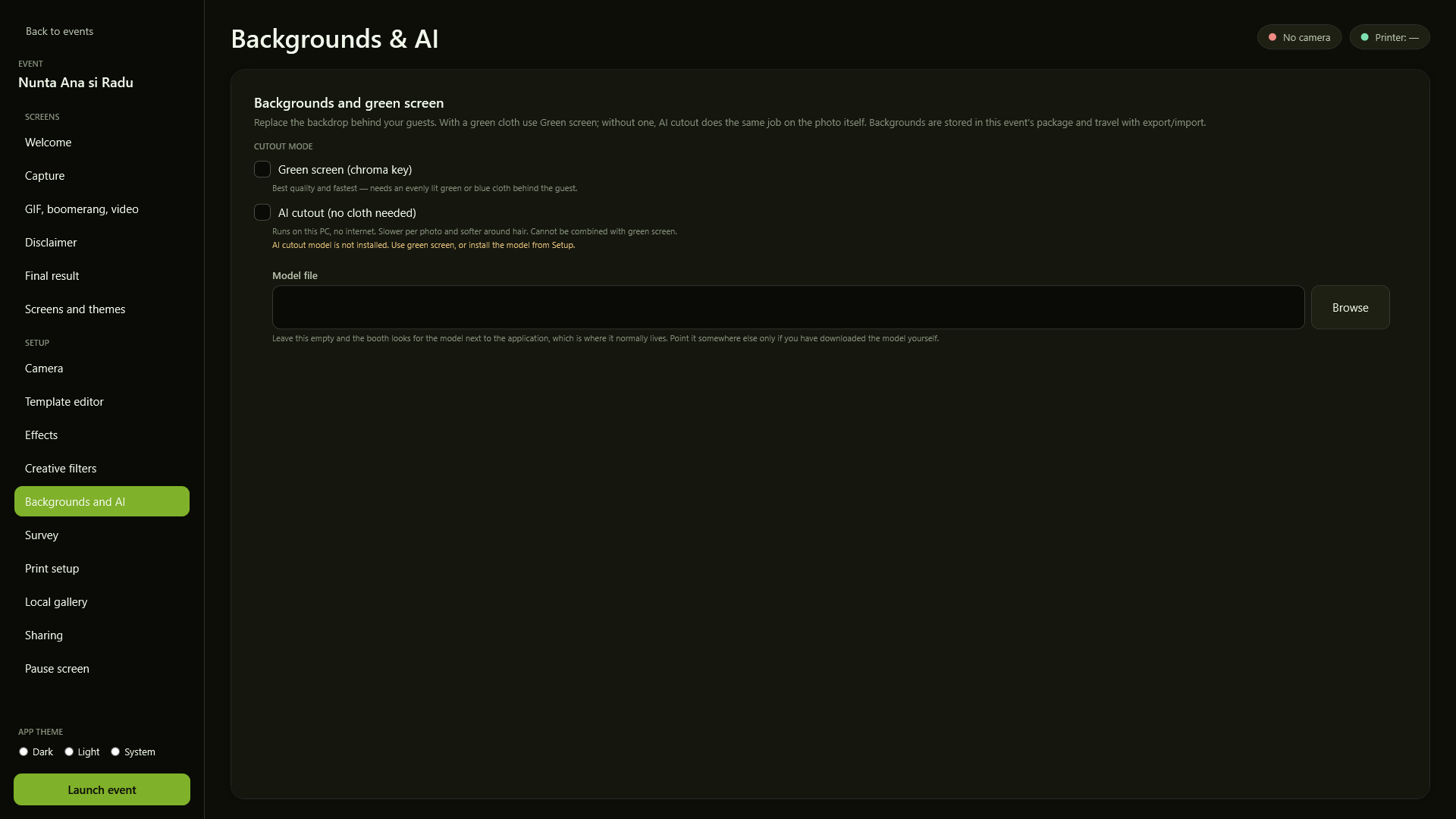
The backgrounds and AI screen
Cutout with a green screen or AI without any cloth - both run on the PC, with no internet.
05 / The template editor

It tells you how much it crops, instead of leaving you to guess.

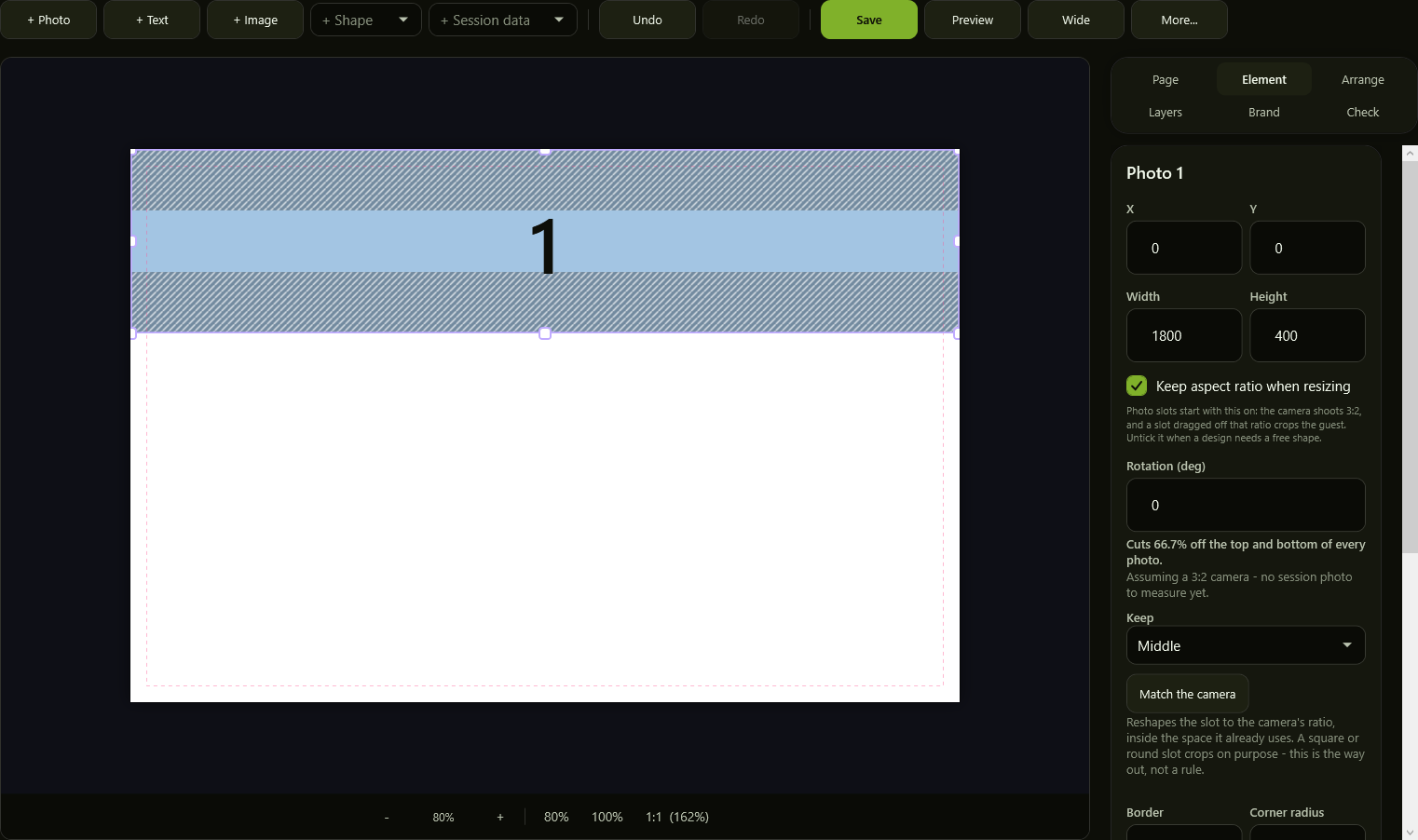
This is where what comes out on paper is decided. The editor shows the loss in numbers and the distances while you drag, not after the print.
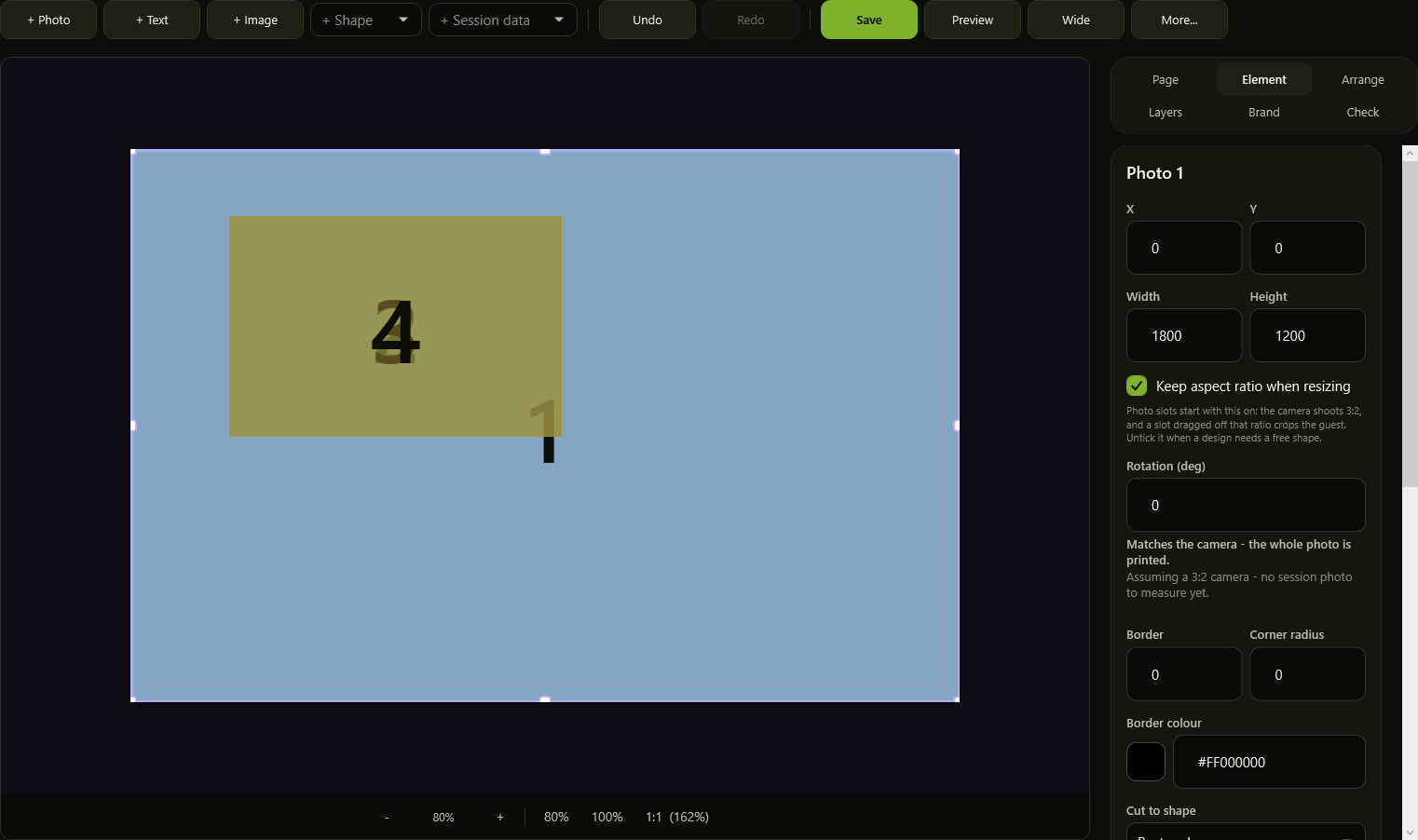
The template editor, slot at the camera's shape
A slot at the camera's own 3:2 shape means the whole photo gets printed.
The template editor, with crop hatching and the percentage lost
When the slot crops, the hatching shows what is lost and the text says it as a percentage.
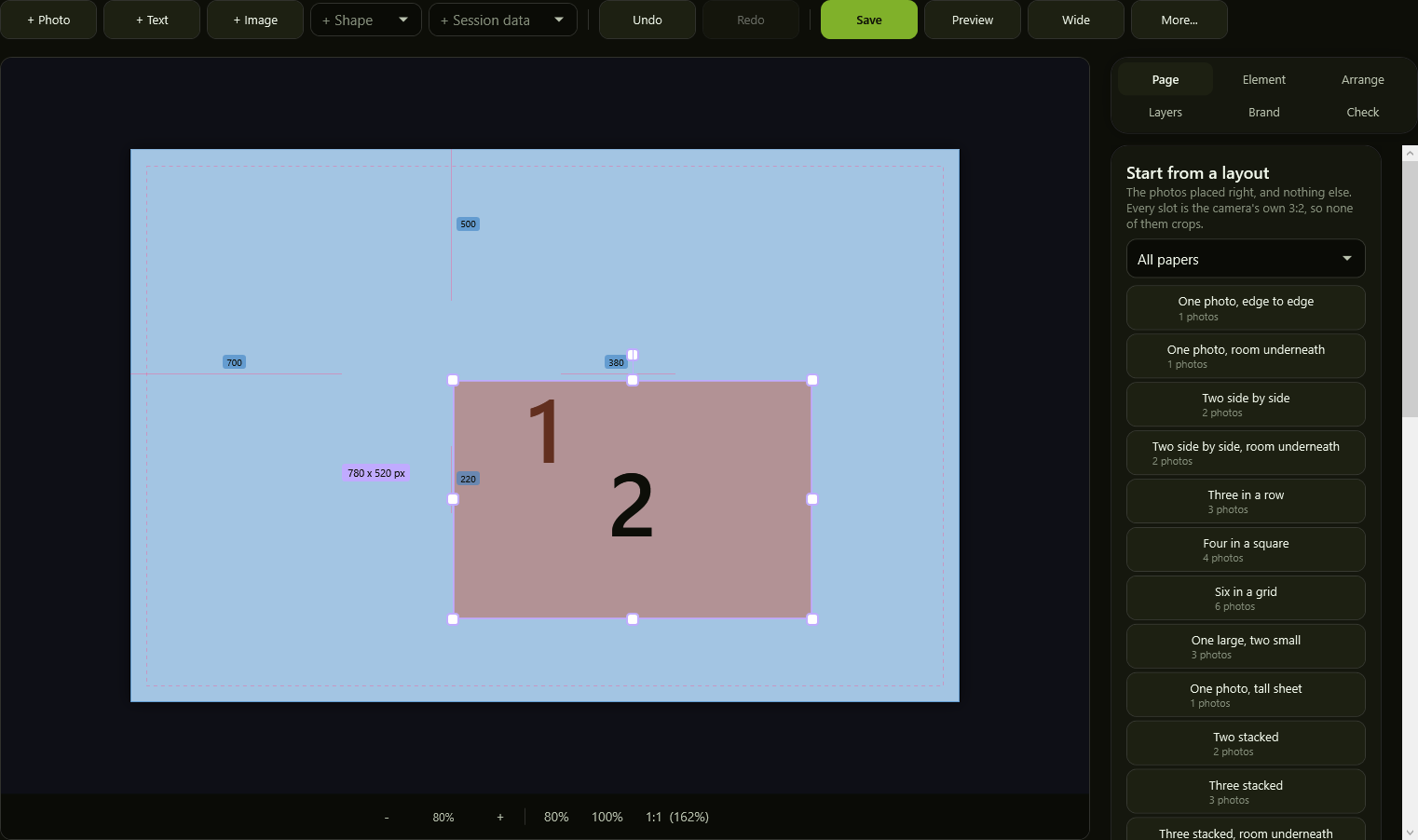
The template editor, with measurements while dragging
While dragging, the distances to the sheet edges and the element size appear, in pixels.
06 / Print and delivery

The photos leave even when the network doesn't.

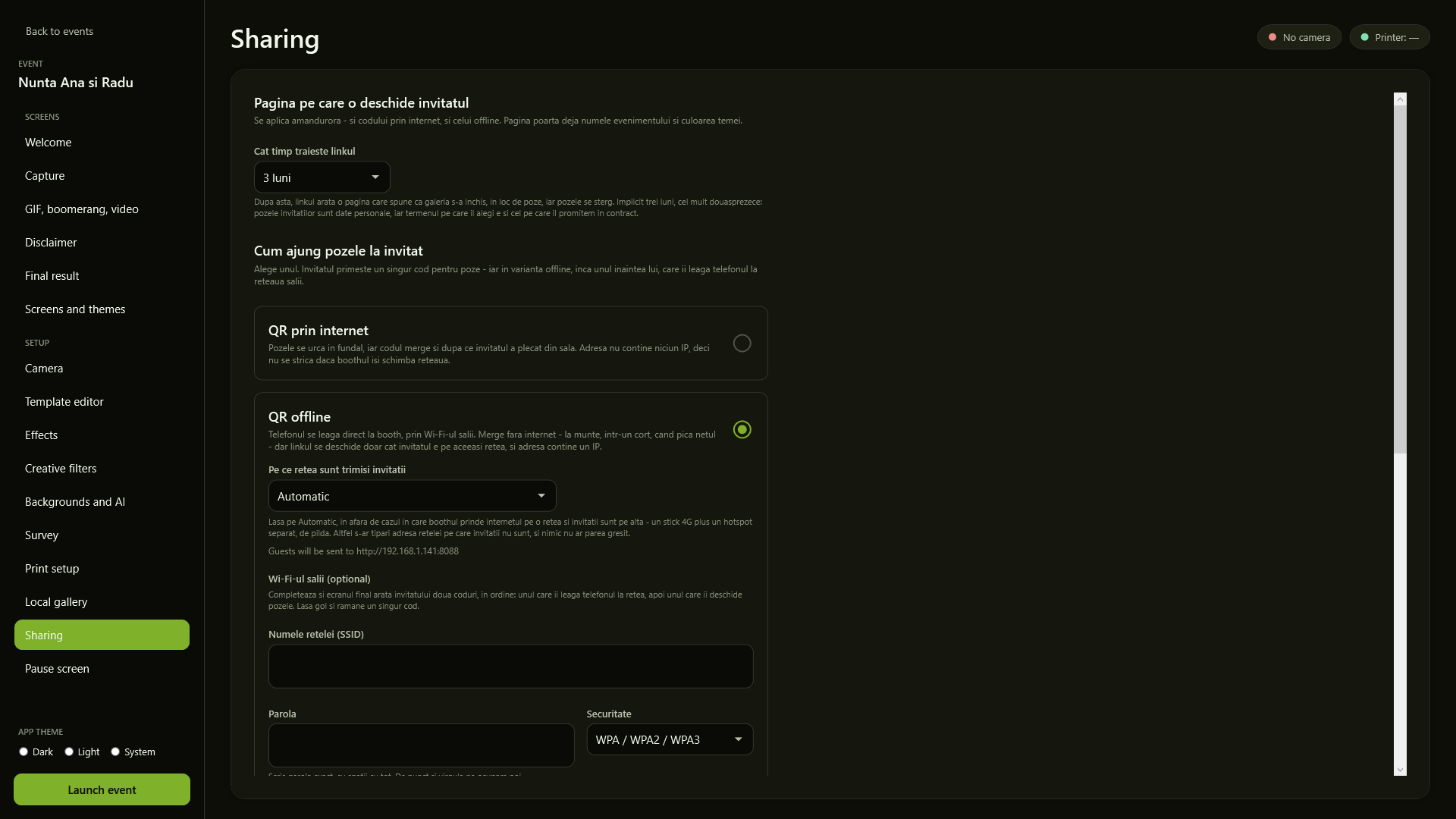
The printer is calibrated from inside the app, and the QR can be served by the booth itself, over the venue's Wi-Fi, with no internet.
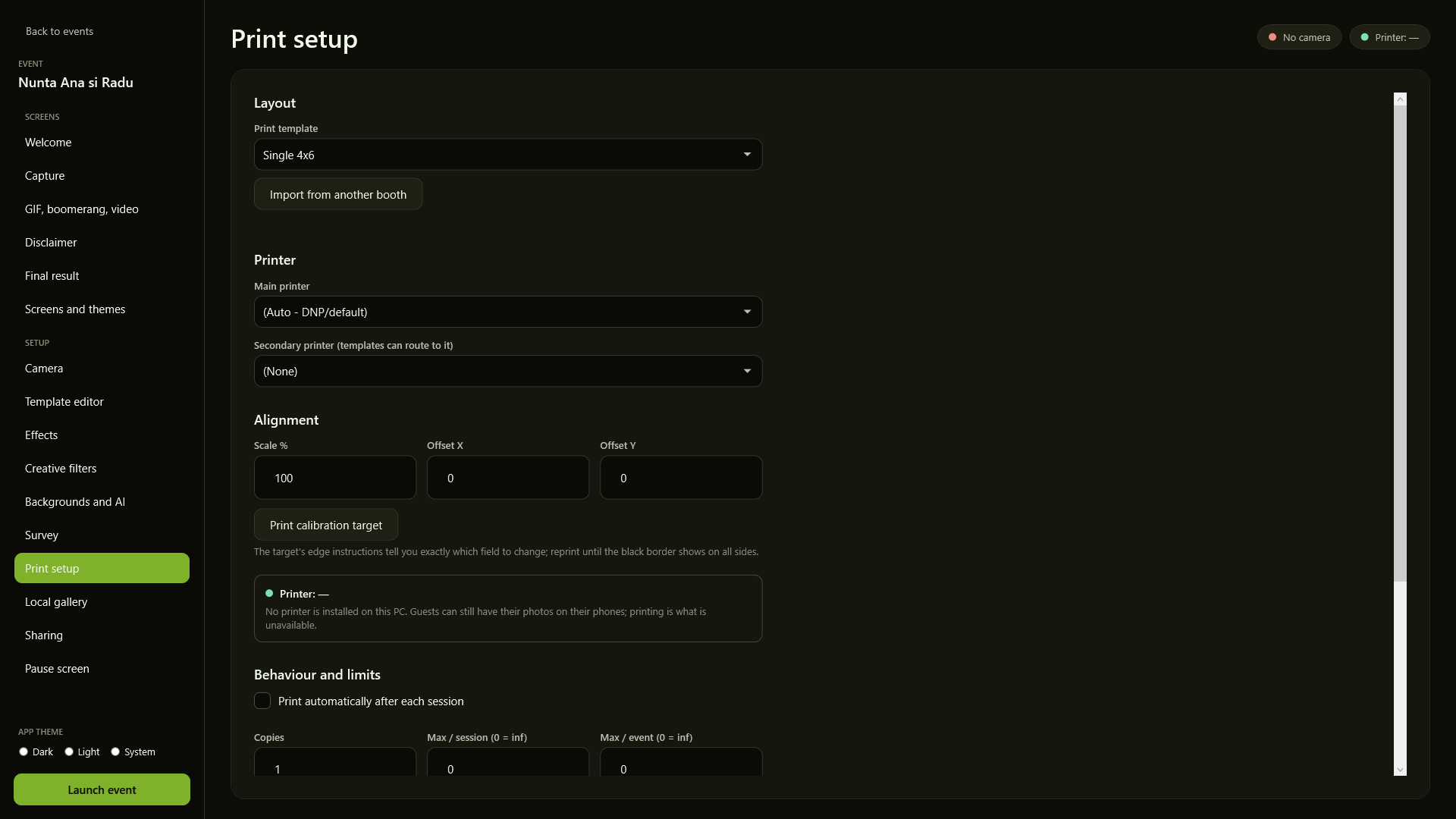
The print setup screen
Printer, layout, alignment and how many copies go out per session.
The sharing screen, with the choice between online and offline QR
QR over the internet or an offline QR served by the booth, and how long the link lives.
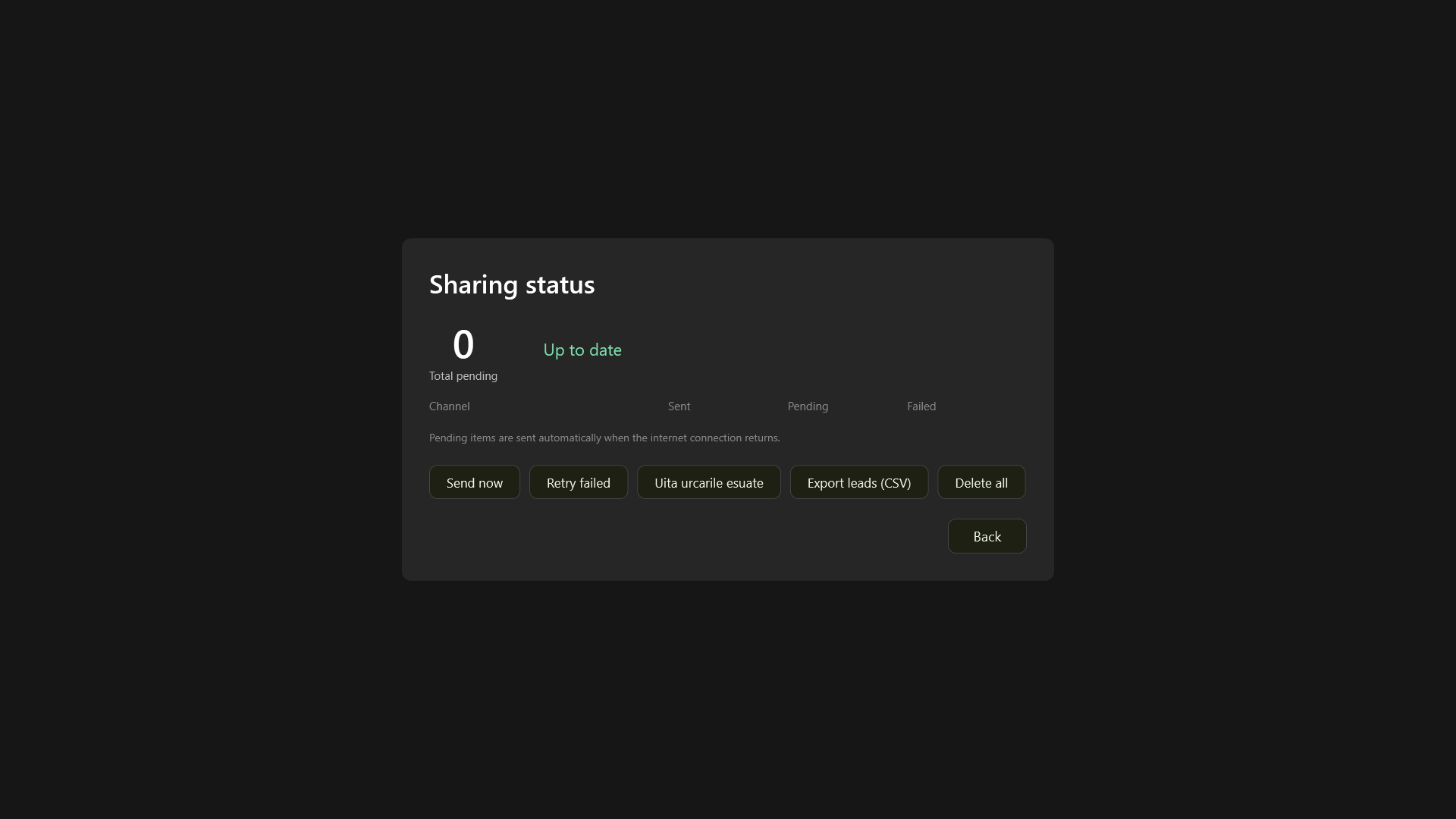
The delivery status board
The wall board: what has already gone out and what is waiting for the network.
07 / After the event

What is left after the lights go out.

The gallery at the booth, the answers to your questions, and the night laid out in numbers.
The session gallery on the booth
The gallery at the booth, where a guest finds their session and takes it again.
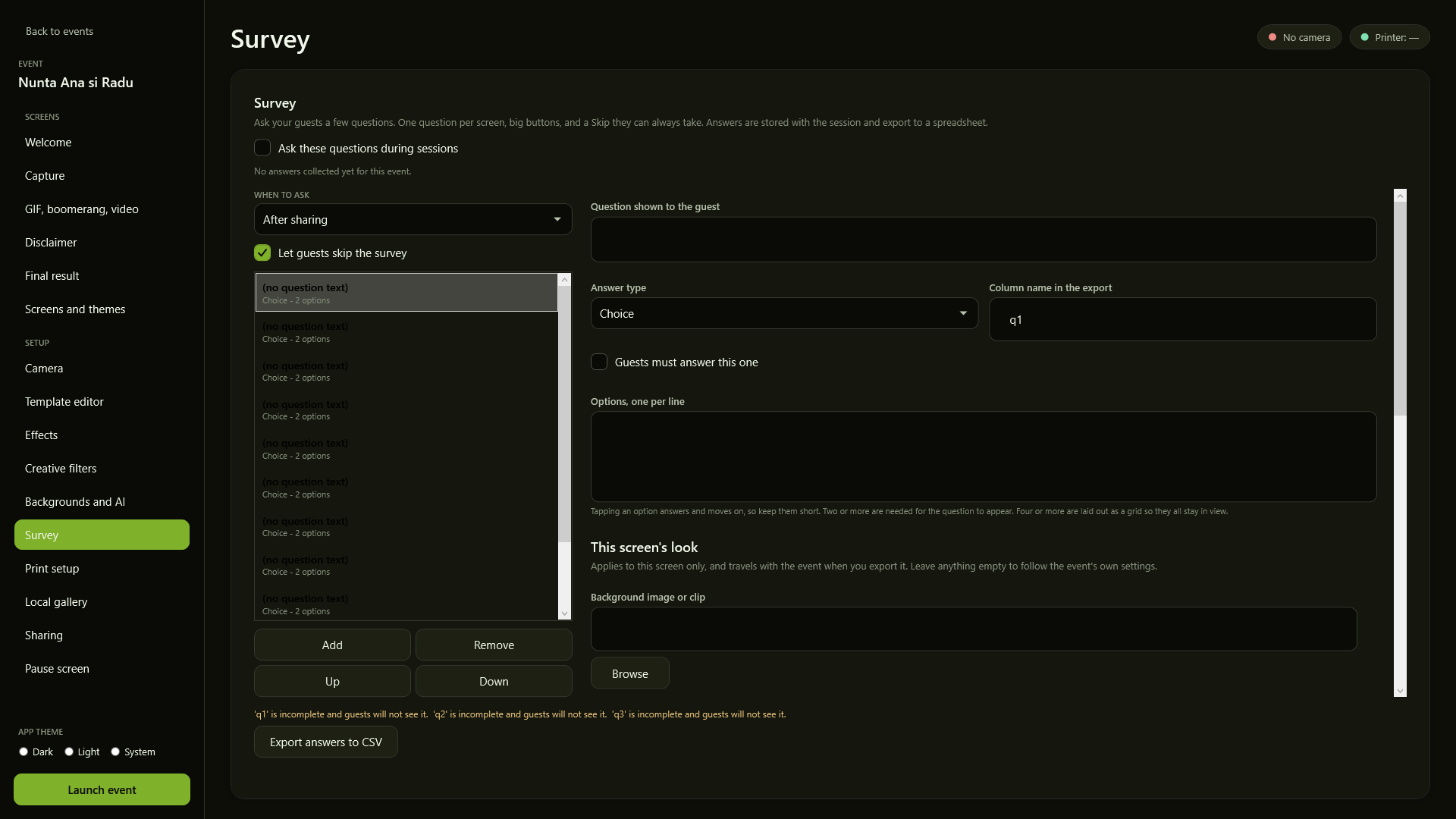
The survey setup screen
A few questions after sharing, with the answers exported to CSV.
The dashboard with past events
Past events, with what was shot and what was delivered.

The trial has every screen above.

Unlimited in time, watermarked, no card. Install it and check for yourself what you just read.

Download the free trial →